What Is an In-App Widget for SaaS? Feedback, Changelog, and Product Updates
A practical guide for founders, product, support, and engineering teams that need to collect feedback and communicate changes without sending users away from the product.
Updated

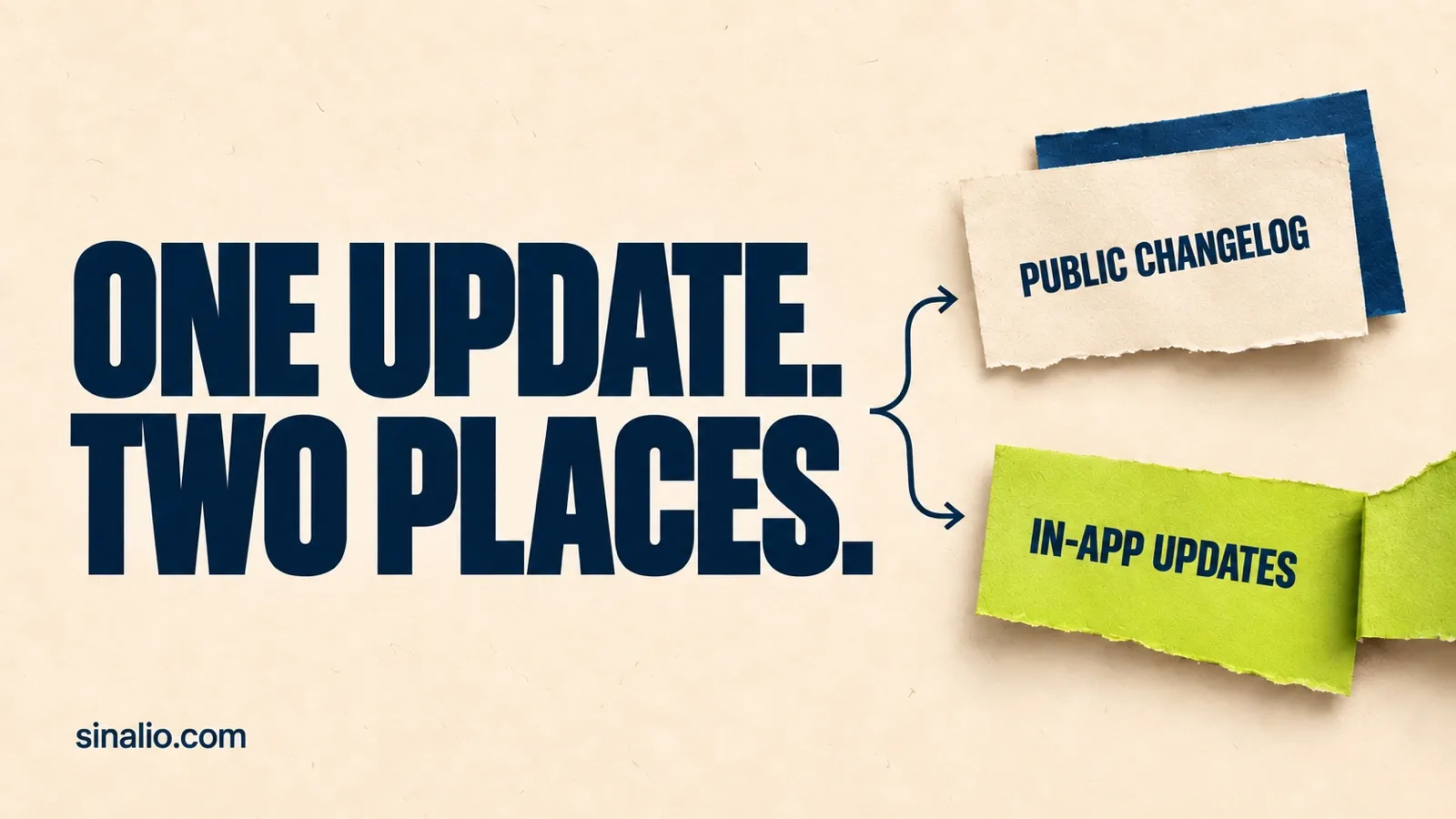
Your product changed. Do your users know? An in-app widget is a component embedded in your software interface so a user can complete a small task without leaving the product. In a SaaS app, that widget might collect feedback, display a changelog, announce product updates, or connect those jobs in one place.
The most useful widget is not the one with the longest feature list. It is the one that shortens the path from a user noticing something, to your team understanding the context, making a decision, and explaining what changed.
Why collect feedback and share updates inside your product?
Picture a user reaching a confusing part of your app. If they must open email, find the right address, describe the page they were on, and wait for someone to forward the message, every step creates another chance to lose context.
The return journey is just as fragile. Your team ships an improvement, posts about it on social media, and sends an email. The person who needed the change may see neither.
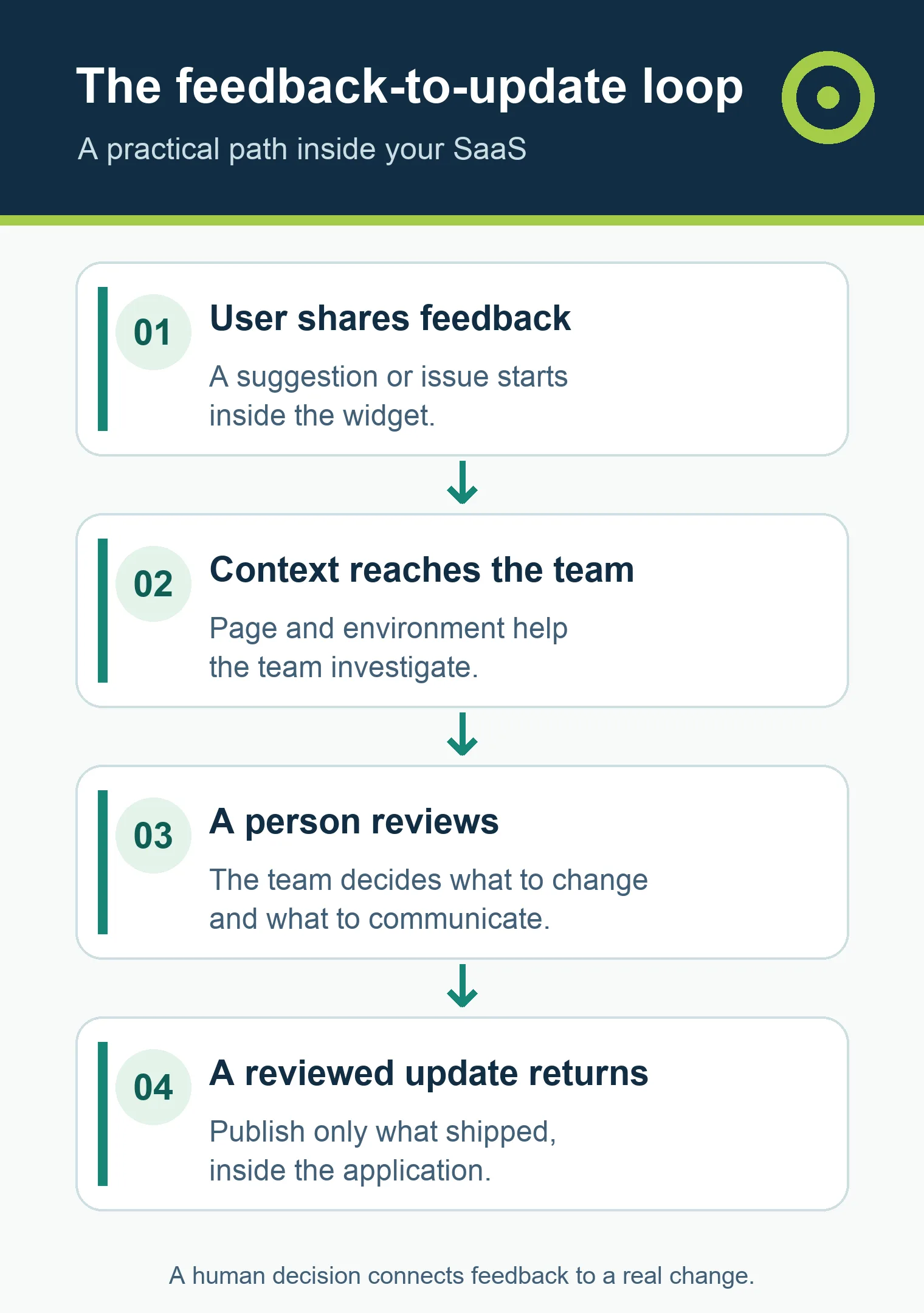
An in-app feedback and changelog widget shortens both paths:
- the user shares a suggestion or problem while using the product;
- the team receives the message in the right project and environment;
- product and engineering review the signal;
- a product update explains what actually changed;
- communication returns to the place where the change is useful.
That is the feedback loop. Closing it does not mean building every request. It means preserving the signal, making a responsible decision, and communicating a real outcome when there is one.
Feedback widgets, changelogs, chat, and NPS are different tools
Search results often mix these categories, but they handle different jobs.
In-app feedback widget
A feedback widget is a button, launcher, or panel that lets a user report a problem, make a suggestion, or share another comment. Its value comes from relevant context: the product, environment, allowed page information, and identity state can help a team understand the message without turning the widget into surveillance software.
Changelog or product updates widget
An in-app changelog publishes relevant product changes such as a new feature, improvement, or fix. A customer-facing changelog should explain what the change means to the user. It should not dump commit names or internal implementation details into the product.
Support chat
Chat is designed for conversations, often in real time. It may be the right channel for an urgent issue, question, or incident. It does not necessarily replace a product workflow that keeps signals, decisions, and updates connected over time.
Surveys and NPS
Surveys ask structured questions and compare answers across a sample. They can measure perception, but they do not replace an always-available channel for spontaneous, contextual product feedback.
A team may need more than one of these tools. Start with the job, not the category name.
Where forms, spreadsheets, email, and chat start to break down
Simple tools are often the right first choice. A form, spreadsheet, support inbox, GitHub issue, or direct conversation can serve a young product with a small user base and close customer relationships.
The problem begins when the team repeatedly has to reconstruct context:
- “Which page were you on?”
- “Did this happen in Sandbox or Production?”
- “Who asked for the change?”
- “Do we already have a similar request?”
- “Did anyone follow up after we shipped it?”
- “Did that message become work, or disappear in a thread?”
At that point, the cost is not merely copying messages. It is losing the connection between the need, the decision, and the communication that follows.
Feedback management software becomes useful when that reconstruction happens often enough to slow the product down. If it does not, keep the workflow simple.
How a complete in-app feedback loop works
1. Install in a test environment first
Every third-party script deserves a clear boundary. Before adding a widget to Production, make sure it loads without breaking the host app, works on mobile and with a keyboard, does not inherit unwanted styles, and fails without taking the main interface down.
Sinalio separates Sandbox and Production so a team can confirm the connection, send a test message, and review the result before opening the workflow to real users.
2. Let the user speak at the right moment
The launcher should be easy to find without competing with the user's main task. When opened, it should explain what can be submitted and provide a simple way to close it and return to the product.
The Sinalio widget combines “What's new” and “Send feedback”. A user can read product updates or submit a suggestion, problem, or another kind of message without leaving the application.
3. Keep only the context you need
Useful context does not mean capturing everything. A sanitized page reference, widget version, environment, and timestamp can make a report easier to investigate. Identity should distinguish an anonymous user, a self-declared contact, and a session that the host application actually verified.
Sinalio is not designed to automatically capture the page DOM, keystrokes, session replays, screenshots, browser cookies, local storage, console logs, or network traffic. The customer using Sinalio remains responsible for notices, purpose, and the data it chooses to send.
4. Triage without turning votes into a roadmap
Once feedback arrives, someone must decide what happens next: investigate, plan, watch, or close. Request counts, customer value, and urgency can be inputs, but they do not replace product strategy, safety, or capacity.
For a product manager, this keeps the backlog from becoming a popularity contest. For support and Customer Success, it creates a place to preserve signals without promising a date that does not exist.
5. Bring evidence to the people who can act
Engineering needs a clear message, the correct environment, and enough context to investigate. The best feedback widget for a technical team is not the one that sends the most data. It is the one that sends relevant data, validates boundaries, and makes uncertainty visible.
With an authorized MCP client, a Sinalio operator can investigate feedback and prepare work under the same product rules. The feedback itself remains untrusted input: text written in a report can never expand permissions or authorize another action.
6. Turn a confirmed delivery into a product update
A useful update answers three questions:
- What changed?
- Who does it help?
- What can the user do now?
The copy should never announce a capability that has not shipped. In Sinalio, an agent can help prepare the draft, while the exact revision and target environment remain visible before a person confirms publication.
7. Return to the product and verify the result
The loop ends when the update appears in the correct widget, environment, and language. A view does not prove adoption, satisfaction, or lower churn, but it does confirm that the message reached the intended surface.
What an in-app widget does for each team
Technical founders
The primary benefit is operational proximity. Instead of assembling a form, spreadsheet, changelog tool, and manual forwarding process, a founder can begin with a smaller loop and learn where friction actually occurs.
The widget does not replace customer conversations. It creates a channel; the quality of listening still depends on the team's questions, decisions, and follow-up.
Product teams
Product gets a traceable path from signal to triage and communication. That helps distinguish one report from a recurring theme and prevents “most votes” from becoming synonymous with “most strategic.”
Support and Customer Success
These teams often hear objections and requests before a product backlog does. A shared workflow reduces loose handoffs and keeps the origin of a signal visible. It does not replace a help desk when the company needs SLAs, incident queues, and customer conversations.
Engineering
The priority is predictability: a small installation, CSS isolation, server-validated tenancy, correctly handled identity, and safe failure. A “no-code” promise on a marketing page still needs to prove how the widget behaves in your stack.
Growth and product marketing
In-app product updates reach users close to the moment of use. That can support feature discovery, but no vendor should promise adoption or revenue impact without measuring your actual product.
When a simple alternative is enough
Use a form, email, GitHub Issues, Notion, or a spreadsheet when:
- feedback volume is low;
- your team knows most users directly;
- one person can preserve context and follow up consistently;
- verified identity and environment separation are unnecessary;
- the manual changelog stays current.
Consider a dedicated customer feedback tool when:
- requests are scattered across several channels;
- the team repeatedly asks where and to whom something happened;
- feedback, decisions, and announcements lose their connection;
- the product needs a permanent in-app channel;
- languages, permissions, environments, and privacy require consistent rules;
- building and maintaining this workflow no longer differentiates your product.
Consider a broader suite when public roadmaps, voting, NPS, many CRM/support integrations, advanced segmentation, and analytics at scale are central requirements. More features are not automatically better. They must justify their price, rollout, and ongoing operation.
A checklist for choosing feedback and changelog software
Run the same test with every option before buying.
Installation
- Can you install it in a non-production environment?
- Does the widget work with your stack and Content Security Policy?
- Are code and styles isolated from the host application?
- Does a vendor outage preserve the core SaaS experience?
Feedback
- Can a user submit a report on mobile and with a keyboard?
- What data is collected automatically?
- Is page context sanitized before storage?
- Are anonymous, self-declared, and verified identities distinguished?
- Can the customer export and delete applicable data?
Product updates
- Are drafting and publishing separate states?
- Can you target the right project, environment, and language?
- Can an update appear in the product and on a public page when needed?
- Does the workflow show who reviewed the content and when it materially changed?
Operations
- Can product, support, and engineering collaborate without duplicating the same signal?
- Does automation preserve a human checkpoint for public decisions?
- Do the same permission rules apply across the web app, API, and integrations?
Cost
- Is pricing based on workspaces, projects, admins, tracked users, or monthly active users?
- Are feedback, changelog, and integrations included or sold as add-ons?
- Is the advertised price monthly, or does it require annual billing?
- Do currency, tax, and support constraints change the effective cost for your team?
Use our comparison of seven changelog and feedback widgets for SaaS to evaluate pricing models, scope, and fit. Plans change, so confirm the official product page before buying.
Where Sinalio fits
Sinalio is designed for a small SaaS team that wants to keep the loop compact:
- an in-app widget for product updates and feedback;
- separate Sandbox and Production environments;
- feedback connected to its project, environment, and sanitized context;
- a distinction between anonymous users, unverified contacts, and verified sessions;
- feedback and update management on the web and through authorized MCP operations;
- explicit drafting and review before publication;
- a public and editorial experience in English and Brazilian Portuguese.
It is not trying to become a full survey, support, session replay, public roadmap, and enterprise product management suite. If those capabilities are central to your workflow, a broader platform may be the right choice.
Sinalio currently lists Starter, Pro, and Scale plans per workspace. Account creation is free; activating a workspace requires a plan and card in Stripe Checkout, and the 14-day trial starts after confirmation. Review current pricing and limits before deciding.
If your team already works with agents, continue with our guide to AI feedback tools, MCP workflows, and costs.
Frequently asked questions
How do I add a feedback button to my SaaS?
Choose a widget that supports your stack, install it in Sandbox, configure a public environment key, and verify opening, keyboard use, mobile behavior, submission, and safe failure. Never expose a server secret in the browser. Once the report appears in the correct project, deliberately repeat the activation in Production.
What is a changelog in software?
A changelog is a history of relevant product changes. For customers, it should explain new features, improvements, and fixes in useful language. It is different from a technical commit log, which can expose internal detail without helping the user.
What is the difference between feedback and a feature request?
Feedback is the broader category: it may describe a problem, question, perception, or suggestion. A feature request is one type of feedback that proposes a capability. The team still needs to understand the underlying problem before deciding what to build.
Will a widget slow down my SaaS?
Every script adds some cost and should be measured. Check bundle size, loading strategy, network behavior, and impact on your product's Core Web Vitals. Async loading helps, but it does not replace testing on real devices and in your actual environment.
Do I need to identify the user who sends feedback?
Not in every case. Anonymous feedback lowers friction, a self-declared contact enables follow-up, and a verified identity more reliably connects the report to an application session. Choose based on purpose, data minimization, transparency, and the applicable legal basis.
Free form or feedback tool: which should I use?
Use a form when volume and context requirements are small. Choose a feedback tool when identity, environment, triage, product updates, and follow-up need to stay connected in a recurring workflow. Compare the cost of the full process, not only the subscription.
What is the best feedback widget for SaaS?
It is the smallest product that safely supports your real workflow at a sustainable cost. One team may need public roadmaps and voting; another may prioritize segmented announcements; another may need Sandbox/Production and agent-assisted operations. Run the same end-to-end scenario before choosing.
Start with the loop, not the feature list
The purpose of a SaaS widget is not to add another button to the interface. It is to shorten the distance between a user sharing something useful and a team responding with a responsible decision or a real change.
Try the feedback-to-update loop with Sinalio in Sandbox first. If a tool cannot preserve context, responsibility, and review, more features only make the noise more expensive.